Printing or Downloading Chart Images
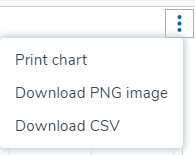
Use the menu in the upper-right corner of the chart to access options for downloading and printing.
To print or download the chart image
|
1.
|
Click the  icon to display the menu and select an option. icon to display the menu and select an option. |
|
2.
|
Do one of the following: |
|
●
|
If you selected Print Chart, a print screen opens. You can change the settings or leave the defaults, and then click Print. |
|
●
|
If you selecting Download PNG image, the item is downloaded immediately. |
Tip: You can click the file icon at the bottom of the Chrome browser, or you can locate the file in the Downloads folder.