Sorting the Data Table
You can sort the data tables by clicking a column heading. All columns are sorted alphanumerically in ascending and descending order. Additionally, you can sort the Well column by row or by column.
The default sort order is ascending well number by plate row (A1, A2, A3, and so forth).
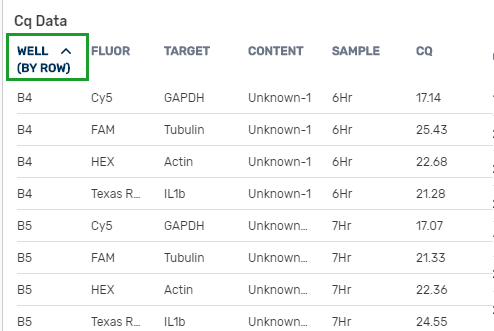
To change the sort order in the Well column
|
►
|
Click the Well column heading |
|
●
|
Once to display the sort type in the heading. The table remains in the default sort order. |
|
●
|
Twice to sort by row in descending order. |
|
●
|
Three times to sort by column in ascending order |
|
●
|
Four times to sort by column in descending order |
|
●
|
Five times to return to the original sort and view |
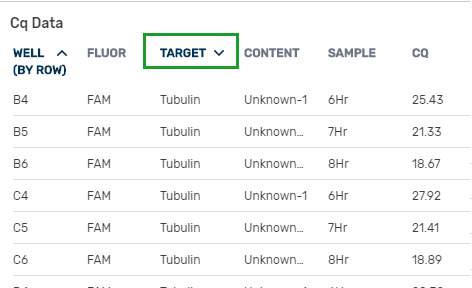
To change the sort order in the remaining columns
|
►
|
Click one of the remaining column headings |
|
●
|
Once to sort in ascending order |
|
●
|
Twice to sort in descending order |
|
●
|
Three times to return to the original sort order |