Working With Your Run Files and Templates
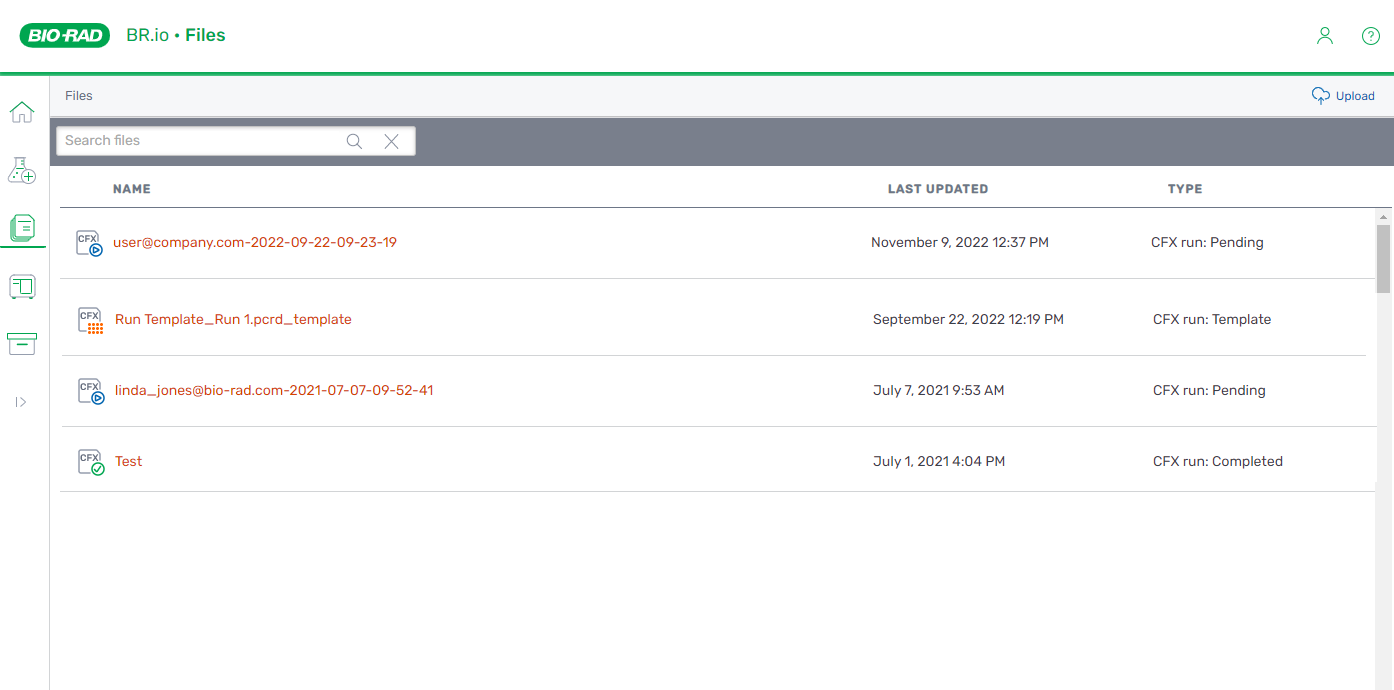
Your PCR run files and templates are available under My Files on the Files page as follows:
|
●
|
Pending CFX run files are identified as CFX run: Pending. You can open, edit, rename, and archive a pending run file. |
|
●
|
In progress run files are identified as CFX run: In-Progress. You can view the run status in BR.io. |
|
●
|
Completed run files are identified as CFX run: Completed. You can open, edit, rename, export, and archive completed run files. |
Note: Protocols are managed from the Manage CFX Protocols page (or in My BRio or the Projects folder if you are part of an organization), and do not appear on the Files page.
From the Files page in BR.io, you can
|
●
|
Search for run files and templates |
|
●
|
Upload run files and templates |
|
●
|
Rename run files and templates |
|
●
|
Archive run files and templates |
Tip: You can view an abridged list of recent files on the Home page, but only the Files page has the search functionality.
Note: After being added to an organization and assigned to a organization project, a user can access run files and templates from the My BRio page or a projects folder.