About Infinite Hold
The Infinite Hold option stops and holds the run at a particular step in the protocol and can be used to ensure the integrity and stability of the DNA. You can specify an Infinite Hold for any temperature or gradient step in a multi-step protocol, and you can also create a protocol with a single step that ends with an Infinite Hold.
You can specify an Infinite Hold in a step from BR.io or from the instrument.
Specifying an Infinite Hold in BR.io
To specify an Infinite Hold in BR.io
|
1.
|
Log into BR.io and click the Create icon ( ) on the left. ) on the left. |
|
2.
|
Do one of the following: |
|
●
|
Click Create New PTC Protocol to display the new protocol template. |
|
●
|
Click Manage PTC Protocols and select a protocol to edit. |
|
3.
|
Select the step at which the PTC Tempo thermal cycler should stop and apply the Infinite Hold. |
Note: The step is also selected in the grid.
|
4.
|
Click the pencil icon in the grid to edit the protocol. |
|
5.
|
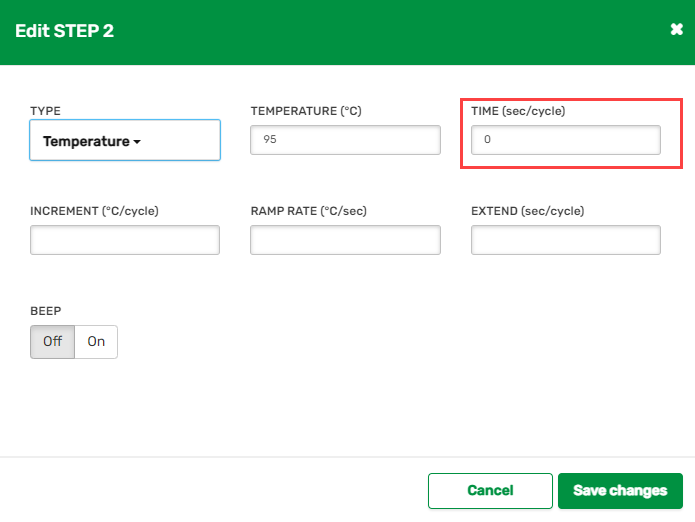
In the Time (sec/cycle) field, enter 0 and then click Save changes. |
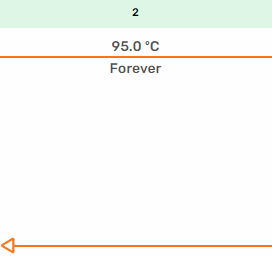
To indicate Infinite Hold, the step in the graphical display shows Forever under the temperature, and the protocol stops and holds the temperature at the specified step until you release the Infinite Hold.
|
6.
|
To release the Infinite Hold and resume the protocol on the PTC Tempo thermal cycler, tap Skip Step on the instrument touch screen. |
|
7.
|
To remove the Infinite Hold from the protocol, enter a time increment into the Time (sec/cycle) field and click Save changes. |
Specifying an Infinite Hold on the PTC Tempo Thermal Cycler
To specify an Infinite Hold on the instrument
|
1.
|
On the touch screen, select your name and then enter your password to sign in. |
|
2.
|
On the Home screen, tap Protocols. |
|
3.
|
Tap New Protocol or navigate to an existing protocol. |
|
4.
|
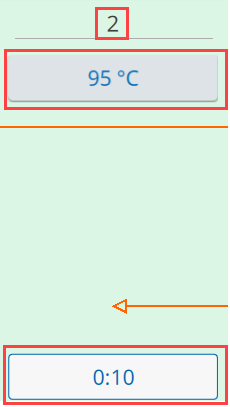
Tap Edit and select the step at which the PTC Tempo thermal cycler should stop and apply the Infinite Hold. |
|
5.
|
Tap the Temperature button and enter the temperature for the Infinite Hold, and then tap OK. |
|
6.
|
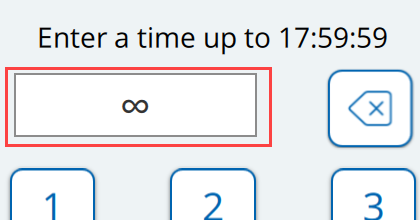
Tap the Time button to display the keyboard and tap the Infinite Hold button, and then tap OK. |
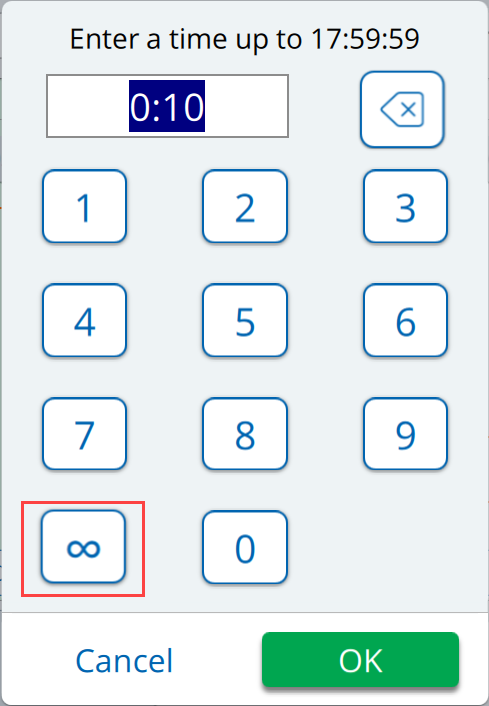
The Infinite Hold symbol appears in the Time field on the keyboard.
The Infinite Hold symbol also appears on the button instead of the time.
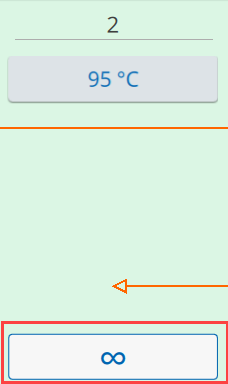
The protocol stops and holds the temperature at the specified step.
|
8.
|
To release the Infinite Hold and resume the protocol, tap Skip Step. |